palantree
Get started
Design-system linting for Shadcn/UI React projects

No hardcode
shall pass.

palantree finds hardcoded values in React projects that use shadcn/ui and suggests matching semantic tokens from Figma.

Works with
React╱╱ shadcn/ui≈ Tailwind CSS Figma tokens Node.js 22+
Example

From hardcoded value
to semantic token.

The example shows the information returned by a scan and the suggested replacement.

File, line, column, and token suggestion.
Button.tsxInteractive example
1export const Button = () => (
2 <button
3 className="bg-[#FB640F]"
4 >
5 Save
6 </button>
7);
npx palantree scan
Value outside the Design System

Button.tsx:3:16 · #FB640F

Matching token: bg-primary

1 value to reviewLocal simulation · CLI not running
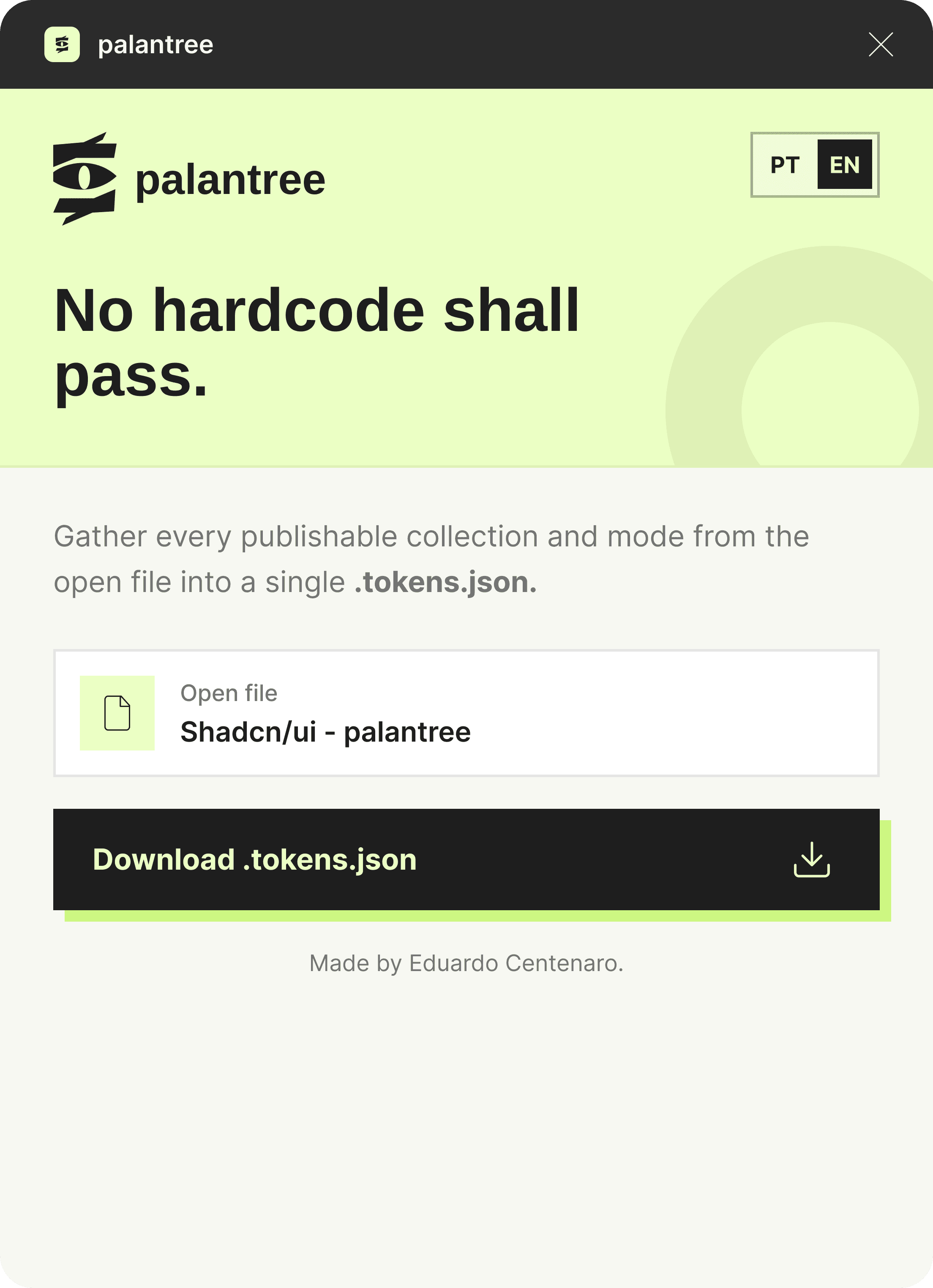
Palantree for Figma

Export Figma Variables to code.

Export local Variables from the open file to one .tokens.json, preserving collections, modes, aliases, and token structure.

Palantree plugin window in Figma
Figma.tokens.json

Works with community shadcn/ui kits.

shadcn/ui has no official Figma UI kit. Palantree works with files that use native Figma Variables, regardless of the kit.

Documentation

Install, configure,
and run Palantree.

Install and run

Install the package as a development dependency. Then initialize the project and run the scanner.

npm i -D palantree
npx palantree init
npx palantree scan

The npm and pnpm commands apply after the package is published. To test a local package, install ./palantree-0.3.4.tgz.

init command

init confirms that the project uses shadcn/ui, detects source roots and token files, and creates palantree.config.json. It does not add scripts to package.json.

npx palantree init [options]

npx palantree init --yes
npx palantree init --figma ./design-tokens/tokens.json --src ./app
npx palantree init --force
OptionDescription
--figma, -f <path>Use a token JSON file or directory. Default: tokens.json.
--src, -s <path>Use a source directory or file. Default: auto-detect.
--forceReplace a conflicting configuration and remove an old generated lint:design script.
--yes, -yConfirm shadcn/ui without an interactive prompt.
Automatic detection

Source detection checks src, app, pages, components, routes, client, web, ui, lib, and hooks. Token detection checks tokens.json, then tokens or design-tokens directories, then *.tokens.json. Missing paths produce warnings without stopping configuration.

scan command

scan analyzes the configured source roots. Command-line arguments override the corresponding configuration fields.

npx palantree scan [options]

npx palantree scan --figma ./tokens --src ./src
npx palantree scan --config ./config/lint.json
npx palantree scan --src ./src/Button.tsx --format json
npx palantree scan --fail-on-warnings
OptionDescription
--figma, -f <path>Override the configured token file or directory.
--src, -s <path>Replace all configured source roots with one file or directory.
--config, -c <path>Use another JSON configuration file. Default: ./palantree.config.json.
--format <text|json>Choose terminal text or structured JSON output.
--fail-on-warningsReturn exit code 1 for warnings as well as errors.

Global options and exit codes

Global options work without init or scan. Exit codes make the CLI suitable for CI pipelines.

npx palantree --help
npx palantree --version
OptionDescription
--help, -hShow usage, commands, options, and exit codes.
--version, -vShow the installed Palantree version.
Exit codes
CodeMeaning
0The scan passed. Warnings are allowed when failOnWarnings is disabled.
1The scan found violations, or warnings are configured to fail.
2Invalid arguments, configuration, file access, or parsing failure.

Configuration

Use one source path or an array. Paths in the file are relative to the configuration file; CLI paths are relative to the current directory.

palantree.config.json
{
  "preset": "shadcn",
  "figma": "./tokens.json",
  "src": ["./app", "./components", "./lib", "./hooks"],
  "exclude": [],
  "format": "text",
  "failOnWarnings": true
}
figma

Token JSON file or directory. Directories are scanned recursively.

src

One path or an array of paths. Overlapping roots are deduplicated.

exclude

Exact file or directory paths. Globs are not supported.

format

text for the terminal or json for tools and CI.

failOnWarnings

Treat warnings as a failed scan when true.

Defaults and compatibility

Without a configuration file, scan uses the shadcn preset and looks for tokens.json and src in the current directory. It does not search parent directories. An older design-lint.config.json file must be passed with --config.

Tokens and scan coverage

Tokens.Default contains the semantic tokens suggested in code. Primitives.Light and Primitives.Dark are used to check :root and .dark values.

tokens.json
{
  "Tokens": {
    "Default": {
      "background": {
        "bg-primary": {
          "$type": "color",
          "$value": "#FB640F"
        }
      }
    }
  }
}

Supported files:

.tsx.ts.jsx.js.css
  • Tailwind and shadcn classes in className or class.
  • CSS declarations, JSX styles, and CSS-in-JS objects.
  • cn, clsx, classnames, and cva compositions.
  • Strings, complete template fragments, ternaries, and logical expressions.
Color rules

text-white, bg-black, and other direct palette colors are violations. Use official shadcn semantic names or custom names in Tokens.Default. Variants such as hover: and md: are preserved.

Analysis limits

Palantree does not execute JavaScript, resolve imports or variables, interpret interpolated classes such as bg-${color}, or inspect CSS inside template literals.

Values inside var(...) are ignored, while hardcoded values beside them are still analyzed. Relative units such as rem are not converted to px without runtime context.

Hidden directories, node_modules, dist, build, coverage, and out are ignored. Recursive discovery does not follow symbolic links.

About the project

A developer tool
and a thesis project.

palantree started as my Computer Science undergraduate thesis, combining Design Systems, UI/UX, and development to help keep code aligned with the decisions defined in design.

Keep hardcoded values
out of the codebase.

Install and scan